

Client Dashboard Plugin for WordPress
Reduce support tickets. Centralize knowledge
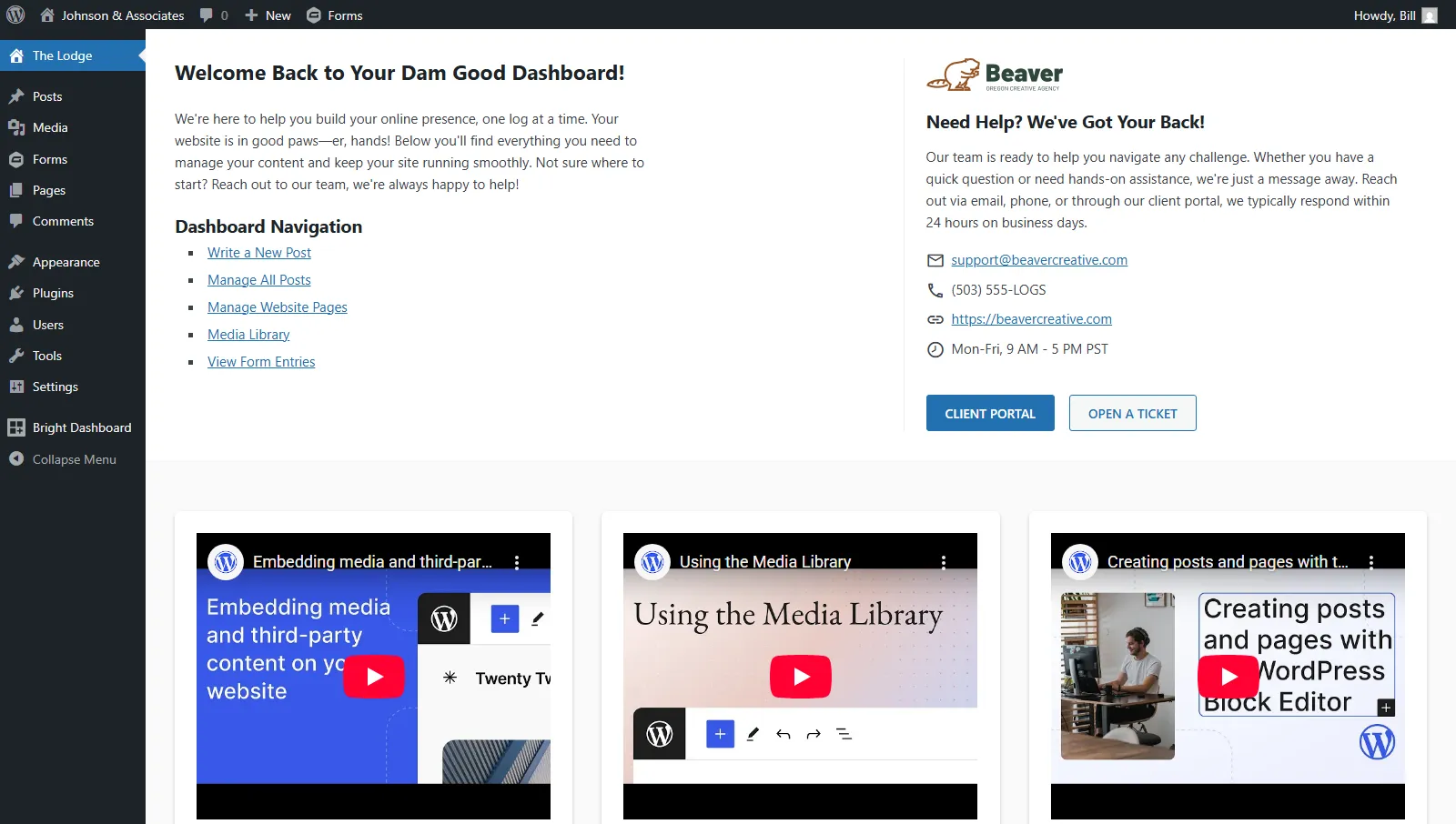
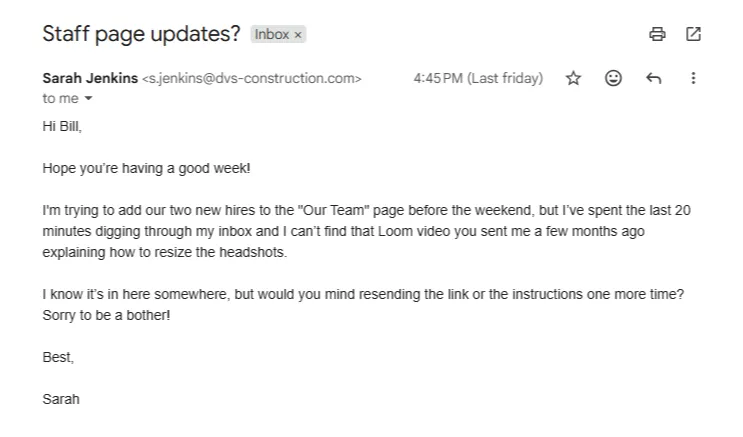
Bright Dashboard Pro is a client dashboard plugin for WordPress® that gives clients and teams a dedicated hub for tutorials, SOPs, and internal notes—right inside the WordPress® admin.
Why Bright Dashboard Pro Exists
Because you have better things to do than resend links.
Most support tickets aren’t technical bugs. They are “where is that link?” or “how do I do this again?”.
Bright Dashboard Pro embeds your Loom videos, SOPs, and instructions directly where your clients actually work: inside the WordPress dashboard.
How It Works
Simple content. Powerful outcomes.
Bright Dashboard Pro adds one or two customizable dashboards inside WordPress.
You decide:
- Who sees what
- Which content appears
- How access is controlled
Each dashboard displays structured content cards using a clean grid layout. This keeps information readable and predictable.
-
Install & Activate
-
Add Content & Define Access
-
Reduce Support Requests
One Plugin. Two Dashboards
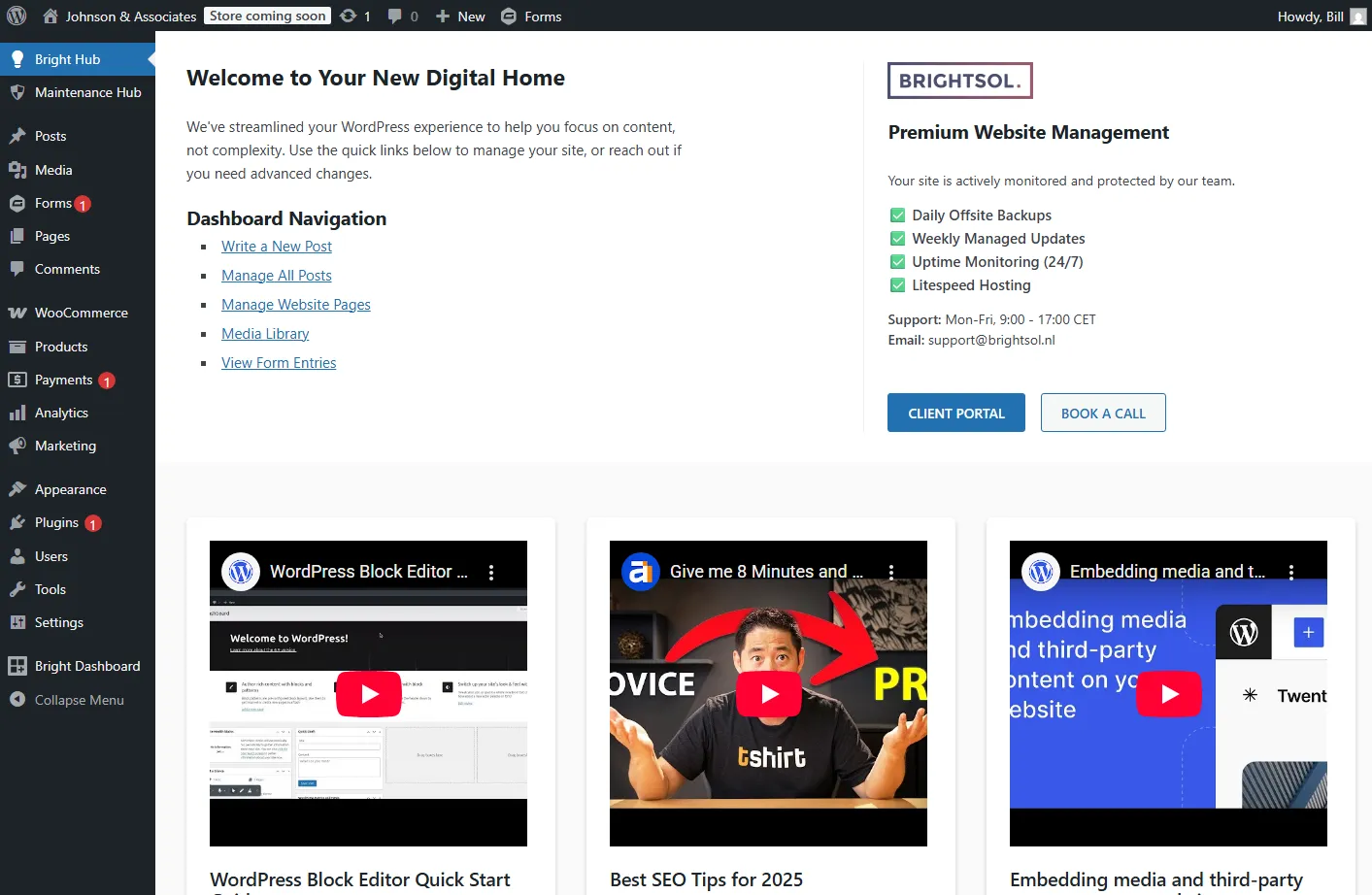
Client Dashboard
Designed for clients, editors, and site owners.
Use it to:
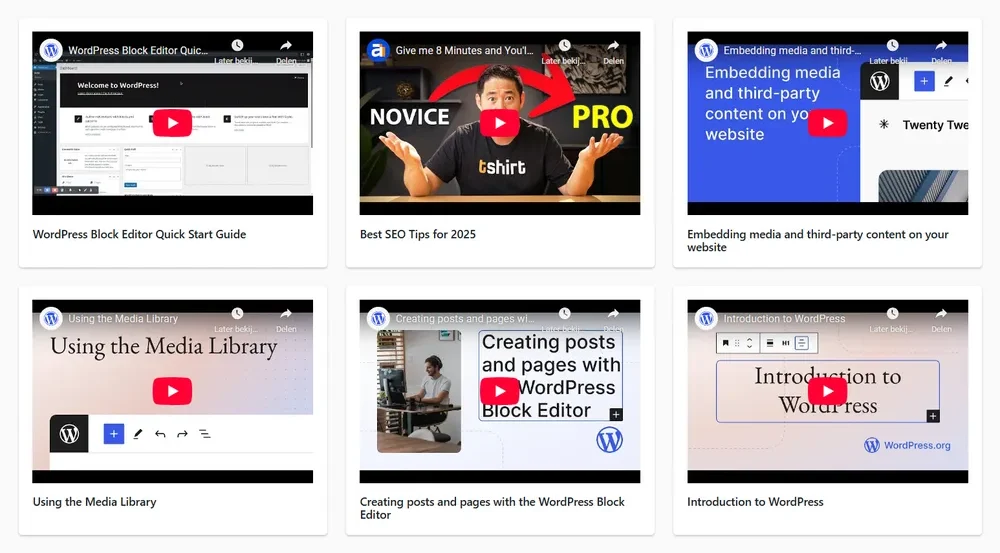
- Publish tutorials and walkthroughs
- Embed videos for onboarding
- Share SOPs and workflows
- Add links to ticketing systems or support forms
- Provide maintenance plan details
- Share AI prompts for content writing or store management
This dashboard acts as first-line support and reduces incoming tickets.
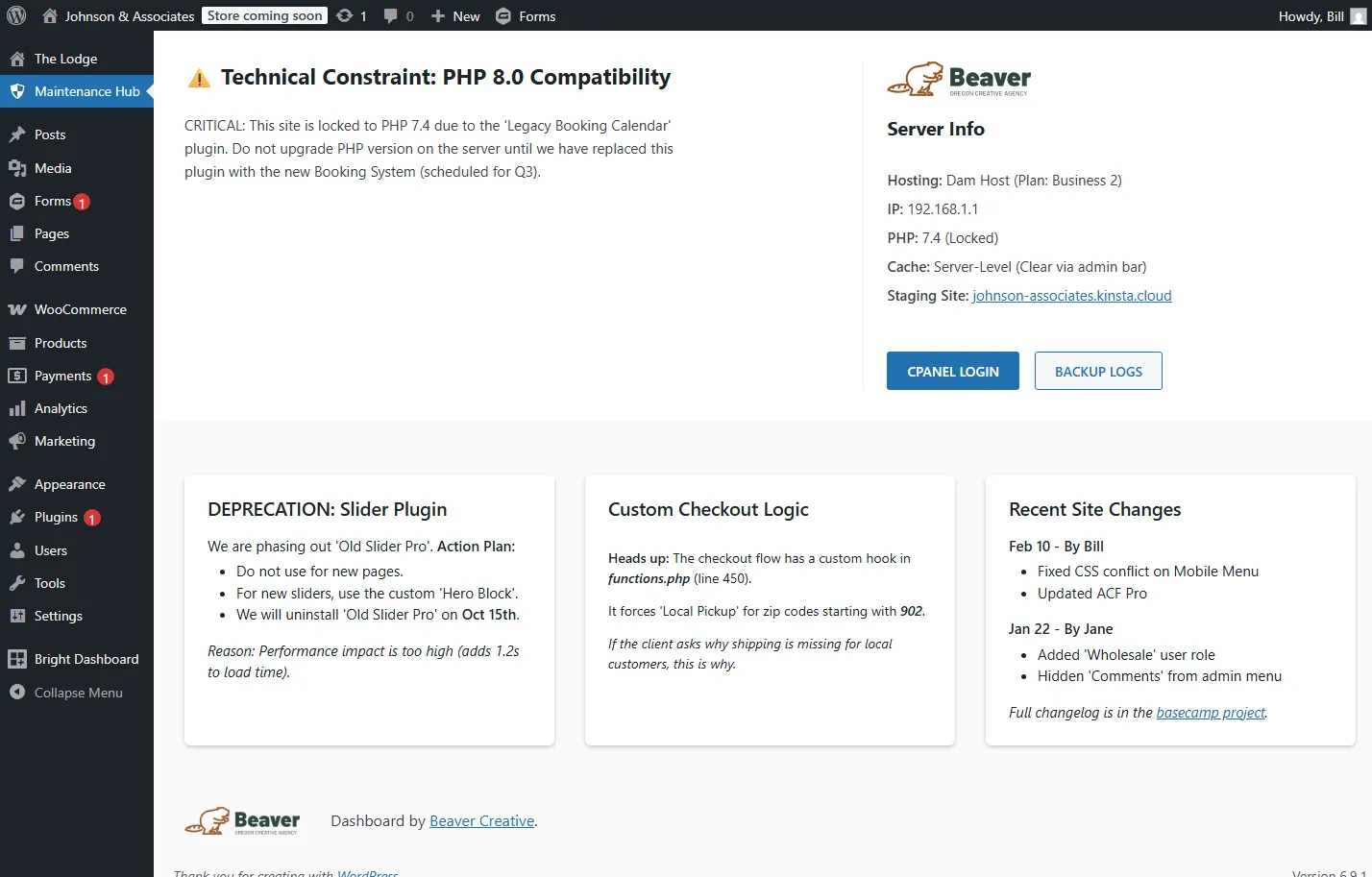
Internal or Admin Dashboard
Designed for agencies, developers, and internal teams.
Use it to:
- Store project notes
- Keep color codes and branding info
- Track changes and maintenance history
- Embed internal checklists from tools like ClickUp
- Maintain a private changelog
Perfect for teams managing multiple sites.
Not an Agency or Developer?
You are still covered.
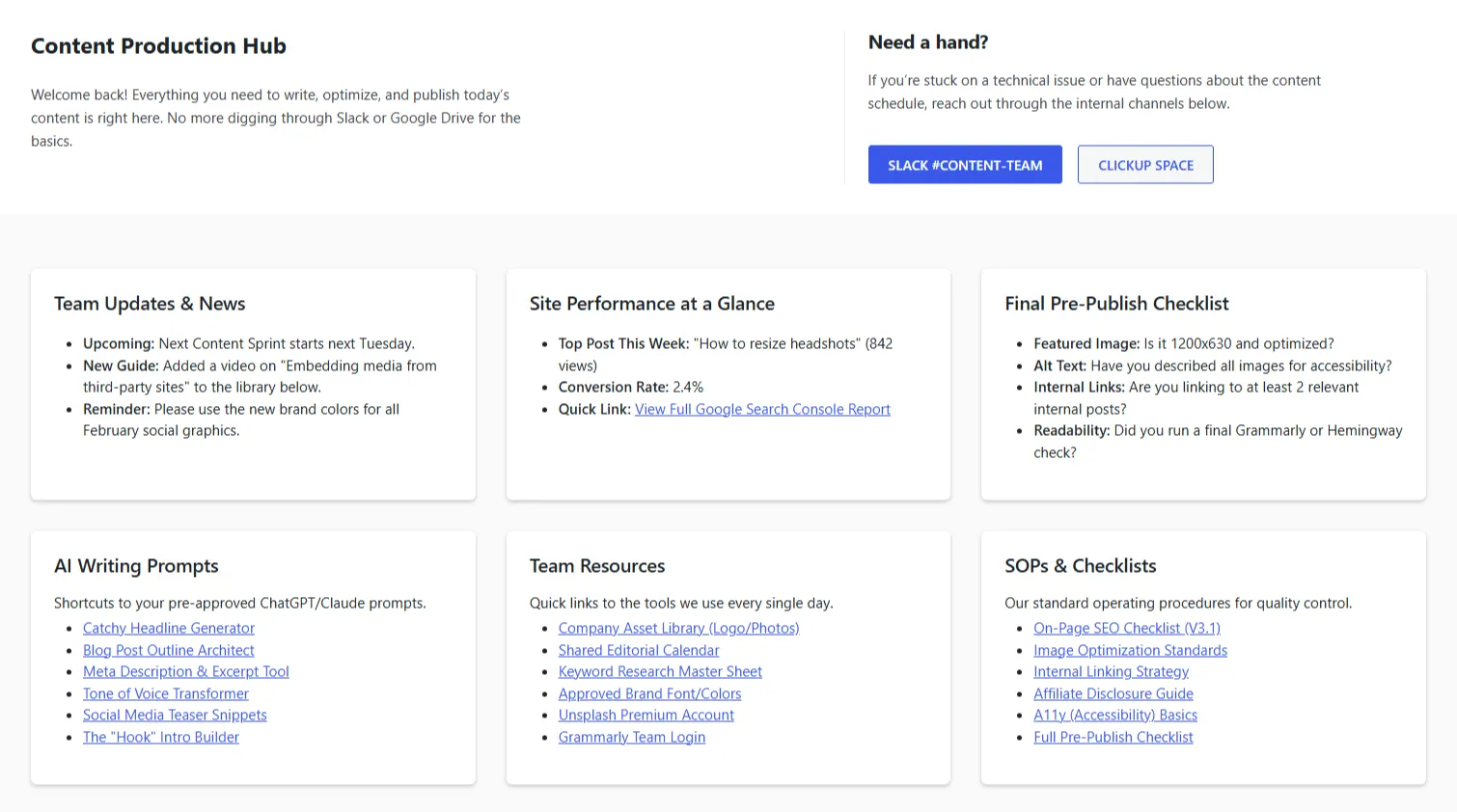
Bright Dashboard Pro isn’t just for clients; it’s for teams. If you manage a blog, a news site, or an internal knowledge base, you can turn your WordPress admin into a streamlined production hub.
You can use it to:
- Create internal SOPs
- Embed AI prompts for blog writing
- Guide WooCommerce store managers
- Share publishing workflows with editors
- Document recurring tasks
- Centralize links and tools
If your site has users, this plugin helps them work better.
Flexible Access Control
Built for real-world workflows.
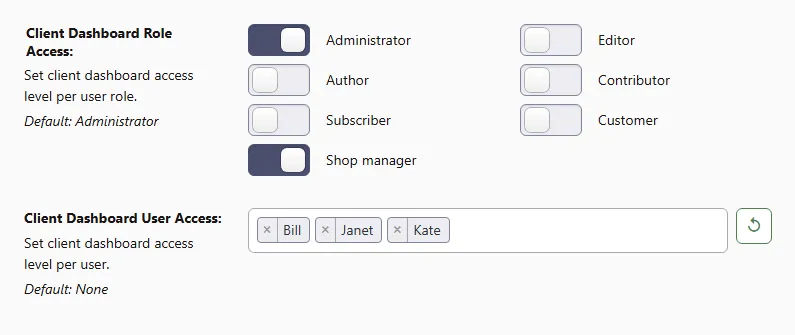
Every dashboard supports:
- Role-based access
- User-specific access
- Separate visibility rules for client and admin dashboards
This means the same plugin can serve:
- Agencies
- Freelancers
- Ecommerce stores
- Editorial teams
- Internal company sites
Content That Scales With You
Build once, use everywhere.
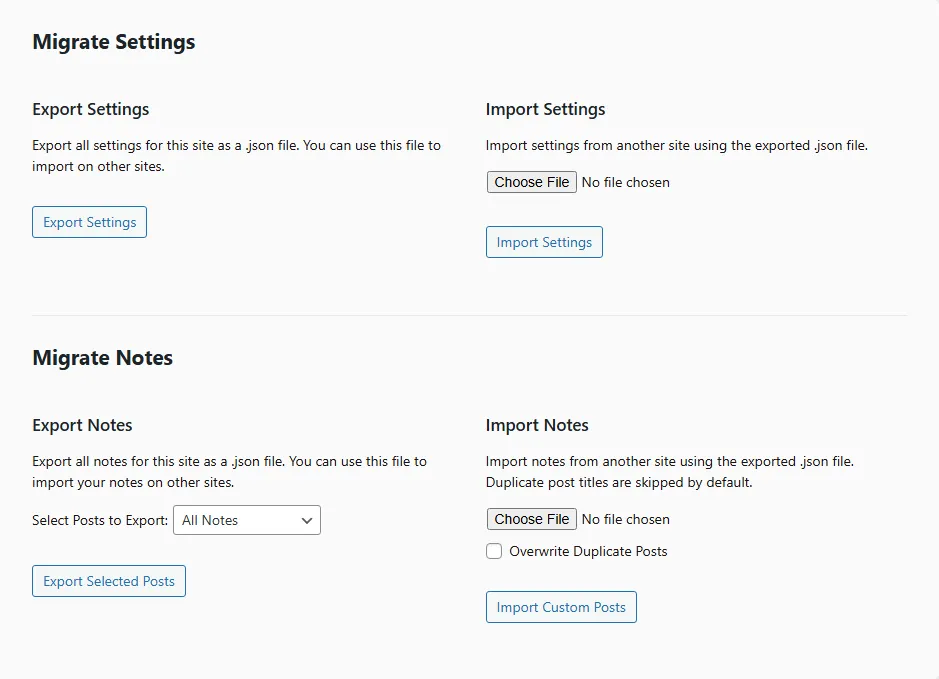
Your content is fully portable, making it easy to manage and migrate between projects.
This allows you to:
- Export and import notes instantly via JSON
- Migrate dashboard settings between sites
- Standardize your dashboard setup across clients
- Smartly skip duplicate entries during imports
- Reuse your documentation library on new projects
No Clutter. Just Content.
A dashboard your clients will actually use.
We stripped away the clutter to focus on readability and ease of use. No complex menus, just clear content cards.
- Clean card layout
- Consistent content sizing
- No learning curve
The dashboard feels like part of WordPress, not a bolt-on tool.
Pricing
Simple. Predictable. No upsells.
All plans come with a 15-day money-back guarantee. If it doesn’t fit your workflow, we’ll refund you.
-
Starter
$39 per year
Solopreneurs & Freelancers
- All Features Included
- Use on 5 Sites
- One Year of Updates
- Premium Email Support
-
Agency
$99 per year
Growing Agencies & Teams
- All Features Included
- Use on Unlimited Sites
- One Year of Updates
- Premium Email Support
Built to Grow With You
A roadmap built on feedback.
Bright Dashboard Pro launches focused and intentionally lean.
Planned additions include:
- More layout flexibility
- Better content grouping & filtering
- Quick access links for key admin pages
- Integrations (WooCommerce, Gravity Forms, etc.)
- Filter for defining your logo through your child theme
Take a look at our changelog to see our what we’ve done so far.
Support
Frequently Asked Questions
Everything you need to know about customizing, deploying, and managing Bright Dashboard Pro. Can’t find what you’re looking for? Reach out to us directly.
Yes. The dashboard lives entirely in the WordPress admin area, so it’s compatible with any theme (Divi, Elementor, Bricks, Kadence, etc.) and plugin stack. It doesn’t interfere with your frontend design at all.
A lot. While there isn’t a built-in color picker yet, you can easily style the dashboard to match your brand using the Custom CSS field. You can tweak fonts, button colors, spacing, and card layouts to perfectly match your agency’s style guide.
Note: CTA buttons automatically inherit the color scheme of the user’s WordPress profile.
Absolutely. Each dashboard card supports rich text and raw HTML. Just switch the editor to “Code View” to paste in your embed code (like YouTube/Vimeo or forms from your CRM). You can also add custom buttons or build entirely custom layouts inside a card.
Yes. You can replace all “Bright Dashboard” references with your own agency branding. This includes the admin menu name, the dashboard page title, the footer credit, and support contact details. Your clients will see your brand, not ours.
Control vs. Privacy. The Client Dashboard is what your customers see—simplified, branded, and helpful. The Admin Dashboard is a private view just for you and your staff, perfect for storing site-specific technical notes, maintenance logs, or private SOPs that clients should never see.
Yes. The Migration Feature lets you export your entire dashboard configuration (branding, colors, content cards) as a JSON file and import it into any other site in seconds. Build your “Master Dashboard” once, then deploy it to every client site effortlessly.
No. Bright Dashboard Pro is designed to be plug-and-play for agencies. You can set up a beautiful, branded dashboard in minutes using just the settings panel. Coding skills (CSS/HTML) are only needed if you want to push the visual customization even further.
We’re here for you. You can find help through the following channels:
- Technical Documentation: Search our guides for quick answers.
- Priority Support Center: Active subscribers can log in for direct assistance.
- Pre-Sales Inquiry: Not a customer yet? Use our contact form for any questions.
Ready to Reduce Support Tickets?
Start guiding users where they already are.
Get Bright Dashboard Pro Start a Project